
Next JS
Next.js is a React framework for building fast, scalable web applications. It provides built-in features like routing and server-side rendering.
Using Universe Website Translation in a Next.js Project (Pre-Installed Setup)
If Next.js is already configured in your environment, you do NOT need to install anything additional.
You only need to inject the Universe Website Translation snippet at the global level so it loads across all pages.
Step-by-Step Configuration for Next.js using Next.js (App Router – Next 13+)
Step 1: Install the Package
- Install the Vitra Web Translator package in your Next.js project:
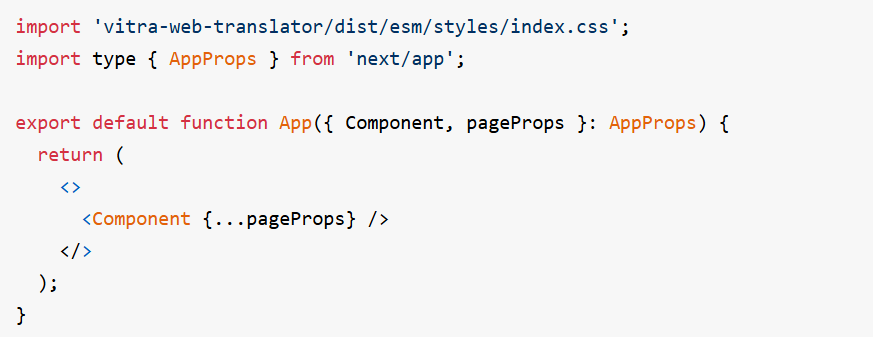
Step 2: Create a Common Component
- Build a reusable translation component that can be used across your website or application. This ensures consistent configuration, reduces repetitive code, and makes it easier to manage updates or changes to your translation setup.
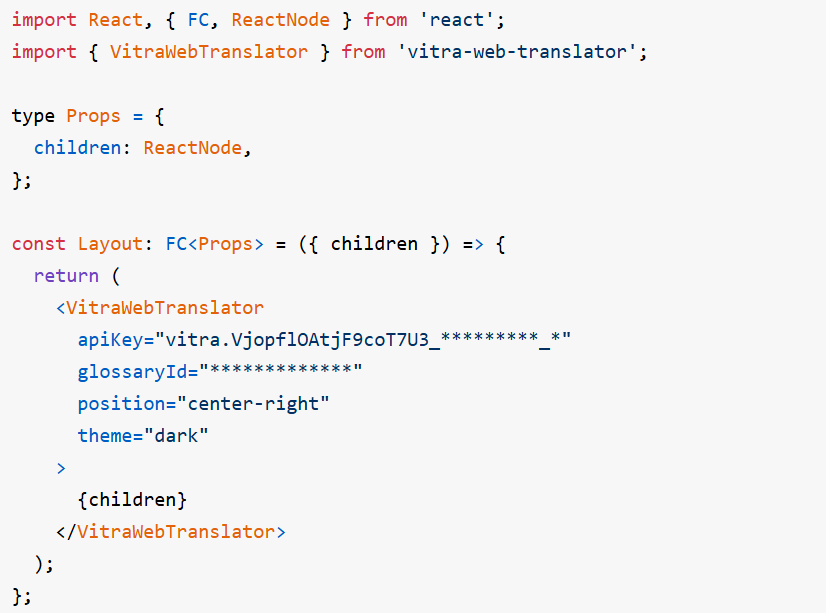
Step 3: Add the Component to Your App
- App Router (Next.js 13+)
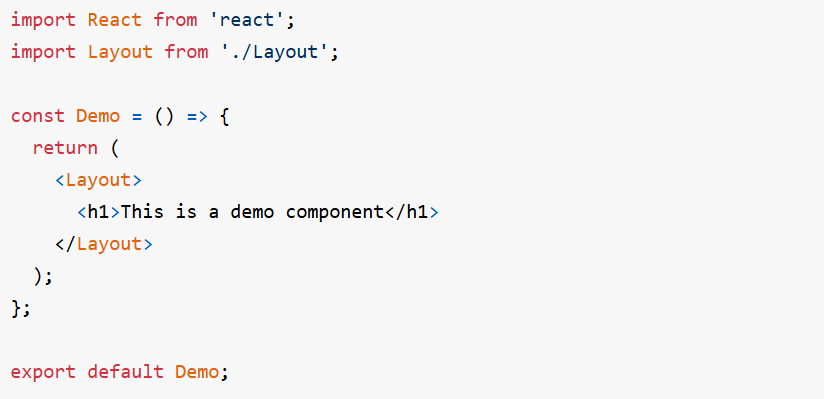
- Once created, the common component can be easily reused across different pages or sections of your application. This ensures a consistent translation experience and simplifies implementation without duplicating code.
What happens after setup?
Once active, Universe Website Translation:
- Translates all Next.js pages
- Works across client-side navigation
- Handles dynamic content
- Preserves layout & styling
- Supports global users directly
Where to go next
Next.js Website Translation and Localization is one way into Vitra.ai. Website translation is the capability doing the work behind it.
CapabilityWebsite translationRead nextTranslate a Next.js Site for Search EnginesRead nextContinuous localization for always-on content
Browse every connector on the integrations directory.