
Install Universe Website Translation on Django
If your website is built using Django, you can easily enable multilingual support by adding a single Vitra snippet to your global template.
Since Django is already inbuilt in your system, no additional packages or configuration are required.
You only need to insert the snippet inside your main layout file so it loads across all pages.
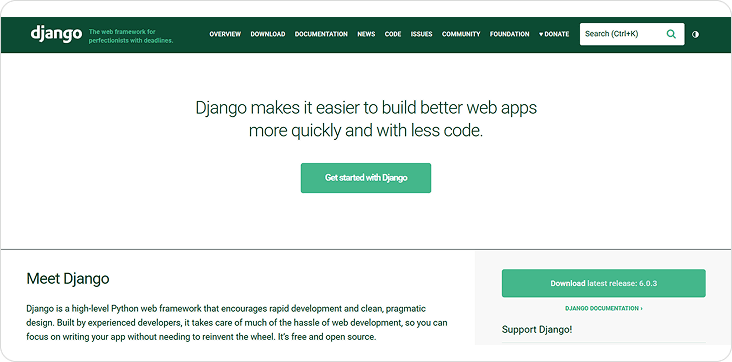
Django Integration (Django Already Inbuilt)
- ✓No changes required in settings, URLs, or views.
Workflow
How it works
01
Open Your Base Template
- Navigate to your Django project and open:
- templates/base.html
- (Or the main template file that contains the global <head> section.)
02
Locate the <head> Section
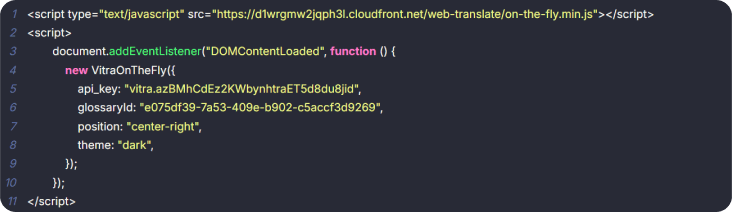
Just above </head>, paste your Vitra / Universe Website Translation snippet.
03
Paste the Vitra Snippet
- `
- <!-- Translate Website -->
- <script>
- /* Paste Vitra Snippet Here */
- </script>
- </head>`
04
Save & Restart
- Save the file and restart your Django server:
- python manage.py runserver
Next step
Universe Website Translation is now active
Universe Website Translation is now active across your entire Django application — including all templates extending base.html and dynamic pages.
Where to go next
Django Translation is one way into Vitra.ai. Website translation is the capability doing the work behind it.
CapabilityWebsite translationRead nextTranslate a Django Site the Standard WayRead nextContinuous localization for always-on content
Browse every connector on the integrations directory.