
Vitra Universe PowerPoint (PPT / PPTX) Translation
Translate PowerPoint presentations (PPT / PPTX) into 120 languages while preserving slide layout, text formatting, design elements, and presentation structure.
Vitra enables businesses, training teams, marketing teams, educators, sales teams, and global enterprises to translate PowerPoint presentations quickly without manually rebuilding slides for every language.
Vitra helps teams scale multilingual presentations and global communication efficiently.
What This Integration Does
Vitra uses AI agents in a PowerPoint translation workflow designed for presentation decks, sales materials, training content, investor decks, and corporate communication.
Instead of copying slide text into translation tools and manually redesigning slides, teams can translate PPT and PPTX files directly within the Vitra platform.
Universe translates the text inside each slide while preserving layout, styling, images, and formatting.
This enables faster presentation localization, multilingual sales enablement, and global training content delivery.
How It Works
Step 1: Upload the file
- Start by uploading the PowerPoint (PPT / PPTX) file you want to translate.
- Vitra scans the presentation and identifies translatable text while preserving slide layout and design.
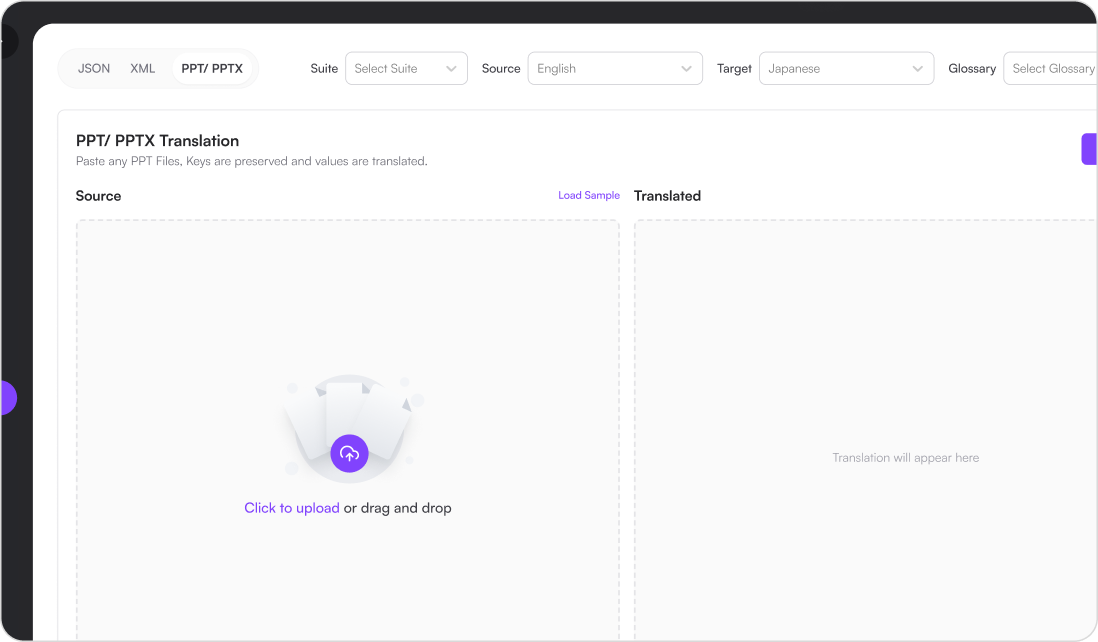
Step 2: Confirm the file workflow
- Confirm the uploaded file type and workflow.
- Universe applies the parsing, protected-token, and write-back rules for that format.
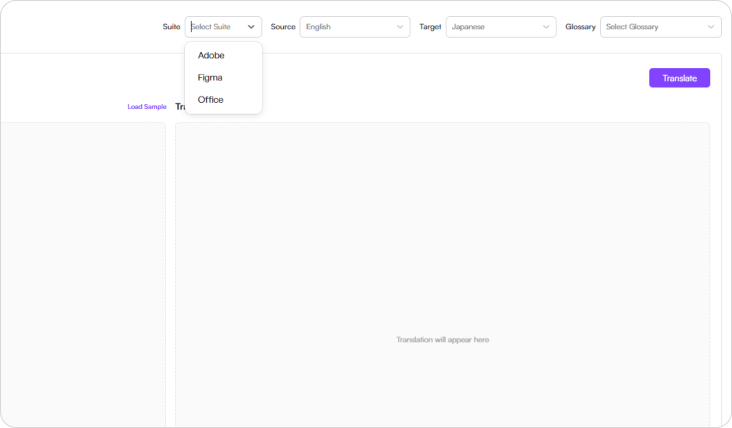
Step 3: Select language
- Choose the source language and one or more target languages.
- The same approved terminology and translation memory apply to every selected version.

Step 4: Select Glossary
- Choose your organization’s translation glossary to ensure consistent terminology across presentations.
- Glossary-driven translation helps maintain brand language, product terminology, and corporate communication standards.

Step 5: Translate
- Click Translate, and Vitra Universe automatically translates the presentation while preserving:
- Slide layout and design
- Text formatting and typography
- Images and design elements
- Slide structure and positioning
- Presentation compatibility
- Your translated PowerPoint presentation is ready to use.

Industry Use Cases
Corporate Training & HR
Translate employee training presentations, onboarding decks, and compliance training materials for global teams.
Marketing & Sales
Localize sales presentations, campaign decks, and marketing strategy presentations for international markets.
Education & EdTech
Translate lecture slides, academic presentations, and learning materials for multilingual classrooms.
SaaS & Technology
Localize product presentations, feature demos, and technical training decks for global customers.
Finance & Consulting
Translate investment presentations, consulting reports, and financial strategy decks.
Healthcare & Pharma
Localize medical presentations, healthcare training slides, and pharmaceutical product presentations.
Manufacturing & Engineering
Translate technical presentations, engineering training materials, and product manuals.
Startups & Investor Relations
Translate investor pitch decks, startup presentations, and funding presentations for global investors.
Why Teams Choose Vitra
- Translate PowerPoint presentations with AI agents, format checks, and human review
- Preserve slide layouts, formatting, and design automatically
- Maintain brand terminology with glossary-driven translation
- Eliminate manual recreation of multilingual presentation decks
- Scale global communication and multilingual presentations efficiently
Start Translating PowerPoint Presentations Faster
Translate PowerPoint (PPT / PPTX) presentations into multiple languages while preserving design, structure, and formatting.
Launch multilingual presentations, training decks, and marketing slides faster without manually recreating every slide.
Where to go next
PowerPoint Translation with Layout Preservation is one way into Vitra.ai. Document translation is the capability doing the work behind it.
Browse every connector on the integrations directory.