
Vitra Universe PPT to Videos
Convert PowerPoint presentations into professional AI videos with voiceovers, subtitles, and presenter-style narration.
With Vitra Universe Video Creation, you can transform PowerPoint (PPT/PPTX) slides into engaging videos in multiple languages without recording, editing, or using complex video tools.
Businesses, educators, marketers, and product teams can quickly convert presentations, training decks, investor decks, product demos, and educational slides into ready-to-share videos for global audiences.
What This Integration Does
Vitra’s PPT to Video generator automatically converts presentation slides into AI-generated videos with natural voice narration, subtitles, and presenter voices.
Instead of recording presentations manually, editing video timelines, and adding captions later, teams can simply upload a PowerPoint file and generate a fully narrated video presentation.
This enables faster video content creation, multilingual video localization, training video generation, marketing video production, and knowledge sharing across organizations.
Vitra helps teams repurpose existing presentations into scalable video content for websites, learning platforms, social media, and internal training systems.
How It Works
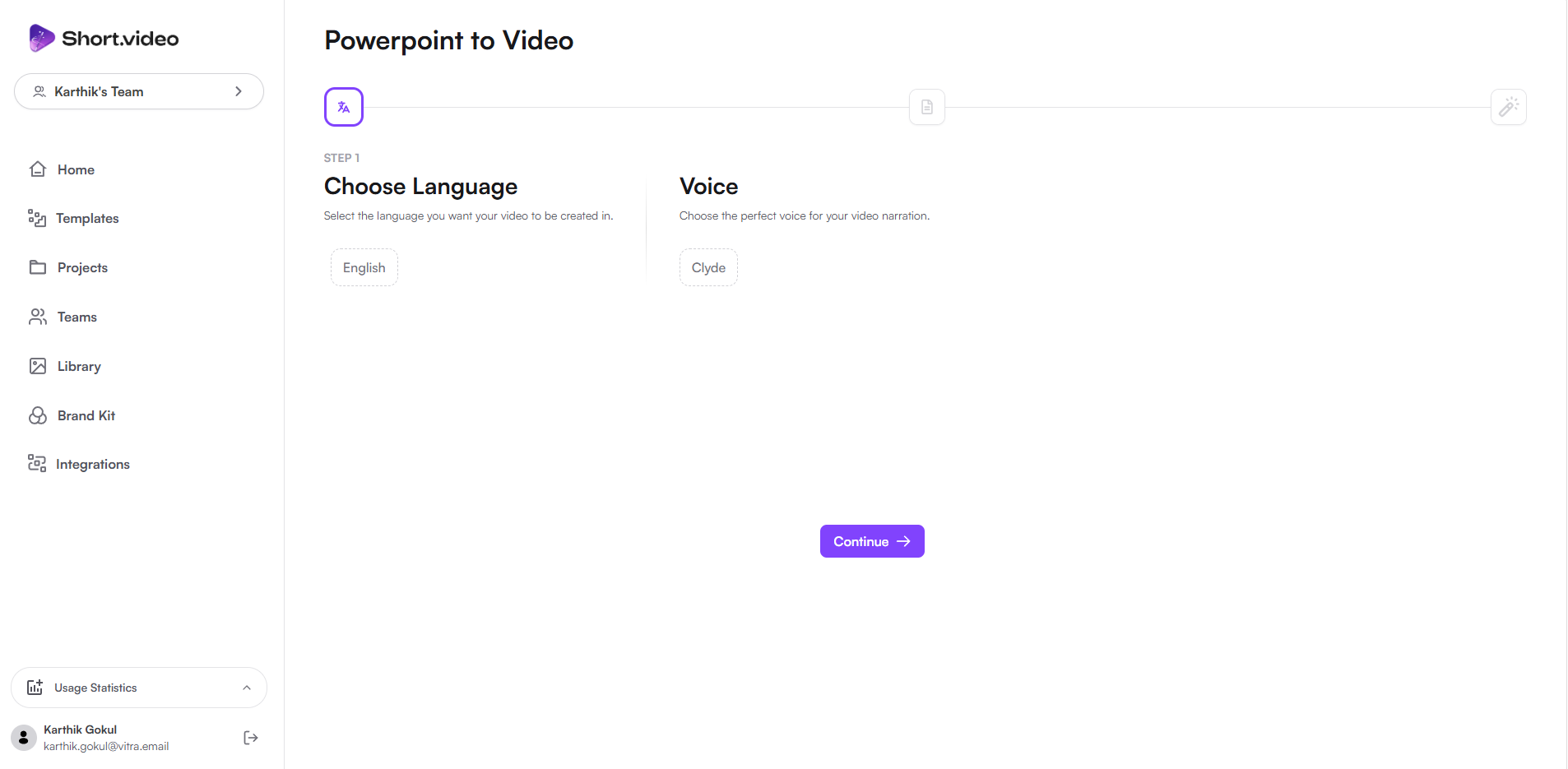
Step 1: Choose language/presenter voice
- Start by selecting the language for the video narration.
- Then choose a presenter voice from available AI voices. This allows your presentation to sound like a professional presenter explaining the slides.
Step 2: Upload the File & Choose Structure
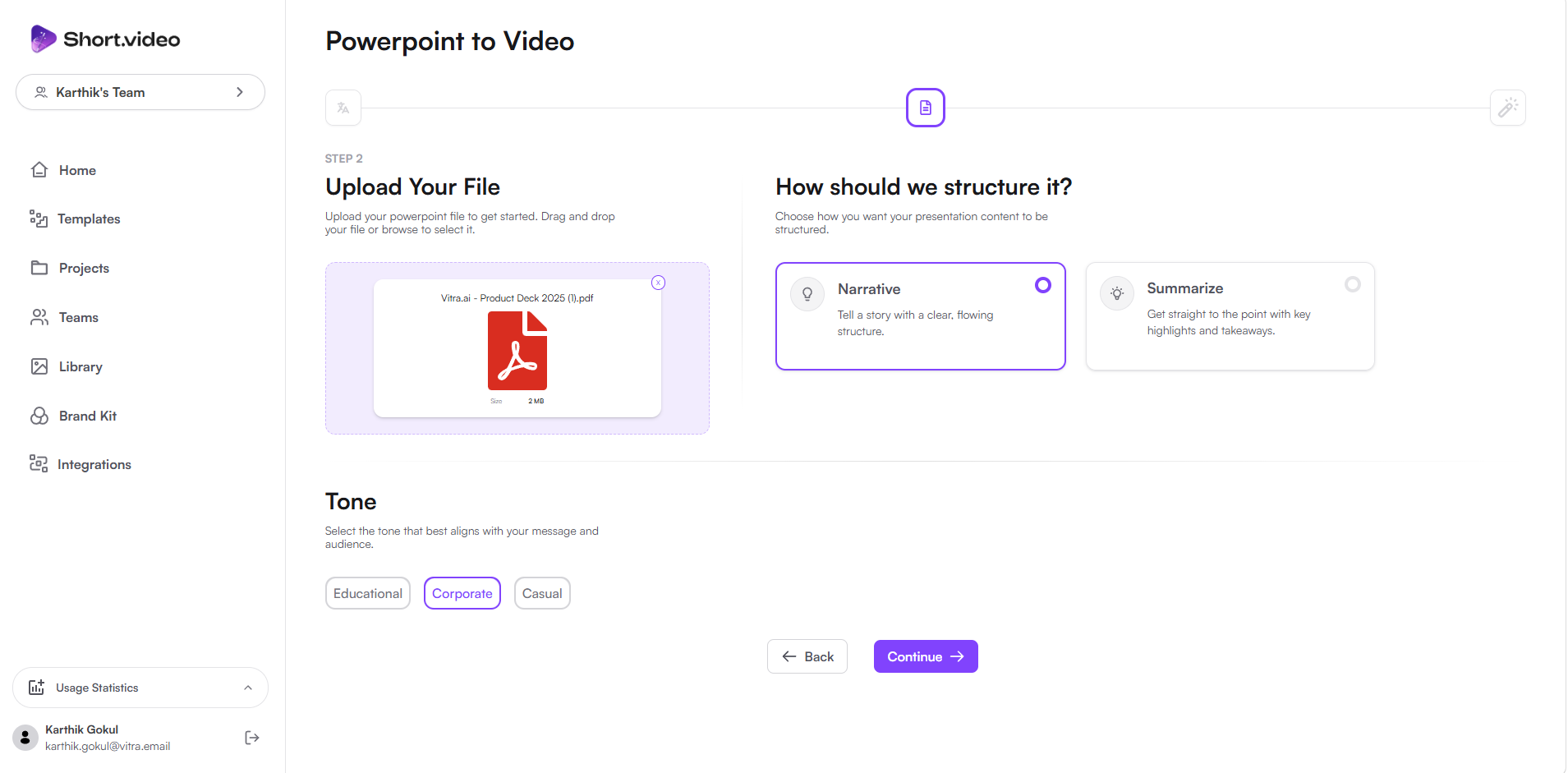
- Upload your PowerPoint (PPT or PPTX) file.
- Then choose how the video should be structured, including:
- Video flow and slide pacing
- Narration tone (educational, professional, marketing, storytelling)
- Presentation Style
- Vitra analyzes the slides and converts them into a scripted AI video automatically.
Step 3: Select Subtitle Font
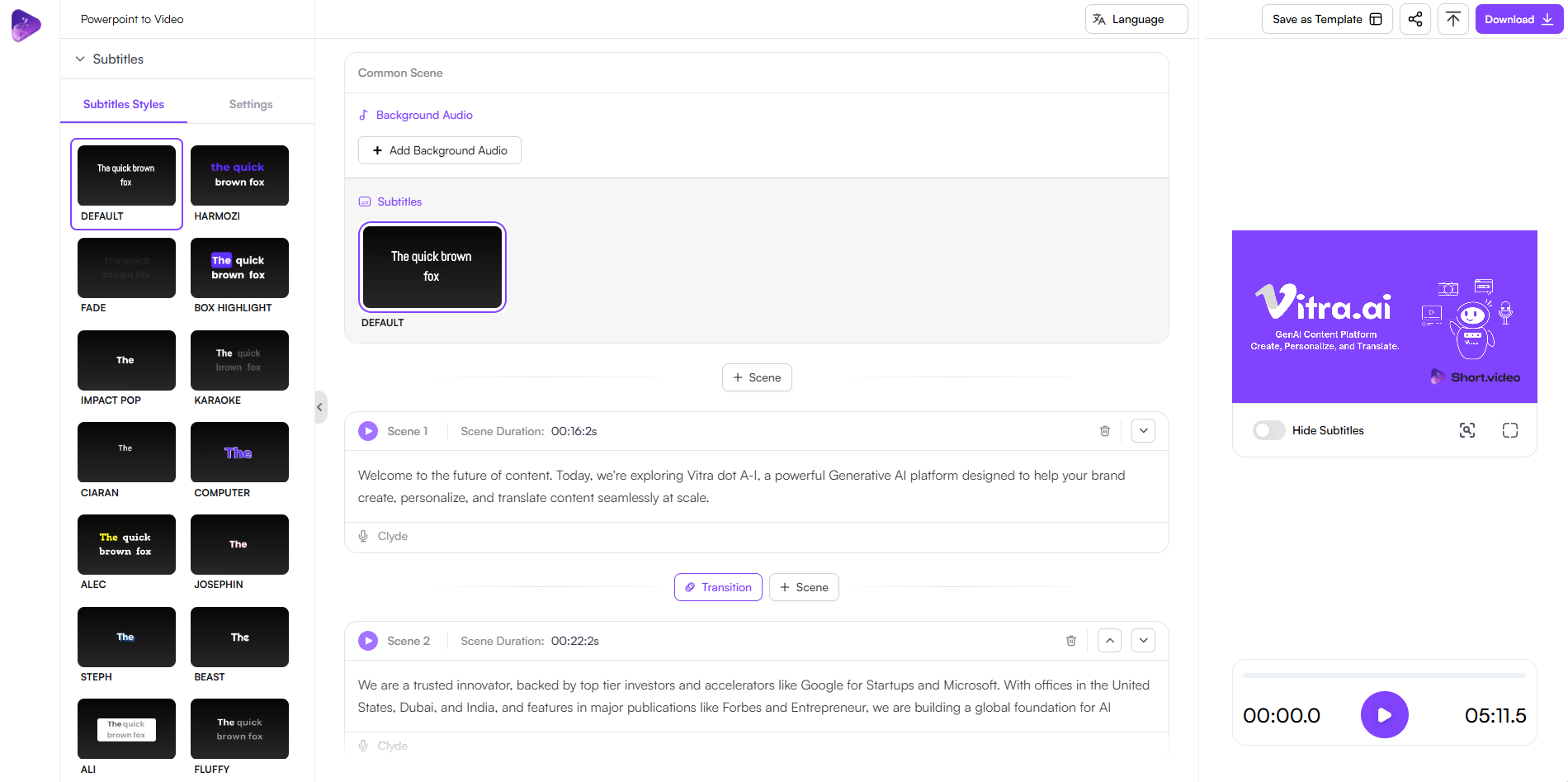
- Choose the subtitle font style for the video.
- This ensures subtitles match your brand guidelines, presentation theme, or platform requirements.
Step 4: Generate the Video
- Click Upload / Generate, and Vitra converts your slides into a fully narrated video with subtitles and AI presenter voice.
- Your presentation is now a professional video ready to publish or share.

Use Cases
Corporate Training & HR
Convert employee training presentations, onboarding decks, compliance training, and company policies into engaging video modules.
Education & EdTech
Turn lecture slides, learning modules, and academic presentations into educational video lessons for students and online courses.
Sales & Business Development
Transform sales decks, product presentations, and pitch decks into explainer videos for prospects and clients.
Marketing & Content Team
Convert campaign presentations, strategy decks, and marketing plans into promotional or informational videos.
SAAS & Product Companies
Create product walkthrough videos, feature explanations, and onboarding tutorials from internal product presentations.
Healthcare & Pharma
Convert medical training presentations, healthcare awareness slides, and pharmaceutical product presentations into educational videos.
Financial Services & Banking
Turn investment presentations, financial education slides, and product explainers into customer-friendly video content.
Consulting & Professional Services
Convert consulting reports, strategy presentations, and business insights decks into engaging client-facing videos.
Startups & Investors Communication
Transform investor pitch decks and startup presentations into compelling video pitches for investors and stakeholders.
Why Teams Choose Vitra
- Convert PPT slides into AI videos directly
- Create multilingual presentation videos
- Automatically generate voiceovers and subtitles
- Repurpose existing presentations into video content
- Save hours of manual recording and editing
Start Creating Videos from PowerPoint
Turn PowerPoint presentations into narrated, subtitled, multilingual videos from one editable source.
Create training videos, marketing videos, product explainers, and educational content faster without recording or editing.
Where to go next
AI PowerPoint to Video Generator is one way into Vitra.ai. Video creation is the capability doing the work behind it.
Browse every connector on the integrations directory.