Every Universe capability, one tool at a time
These are the playgrounds inside Vitra Universe, published individually so you can try exactly the thing you came for. Each one runs on the same engine as the full platform — same voices, same translation memory, same quality checks.
- tools
- 11tools
- capabilities
- 48capabilities
- languages globally
- 120languages globally
- to start
- Freeto start
Voice
2Video
4Text & Files
5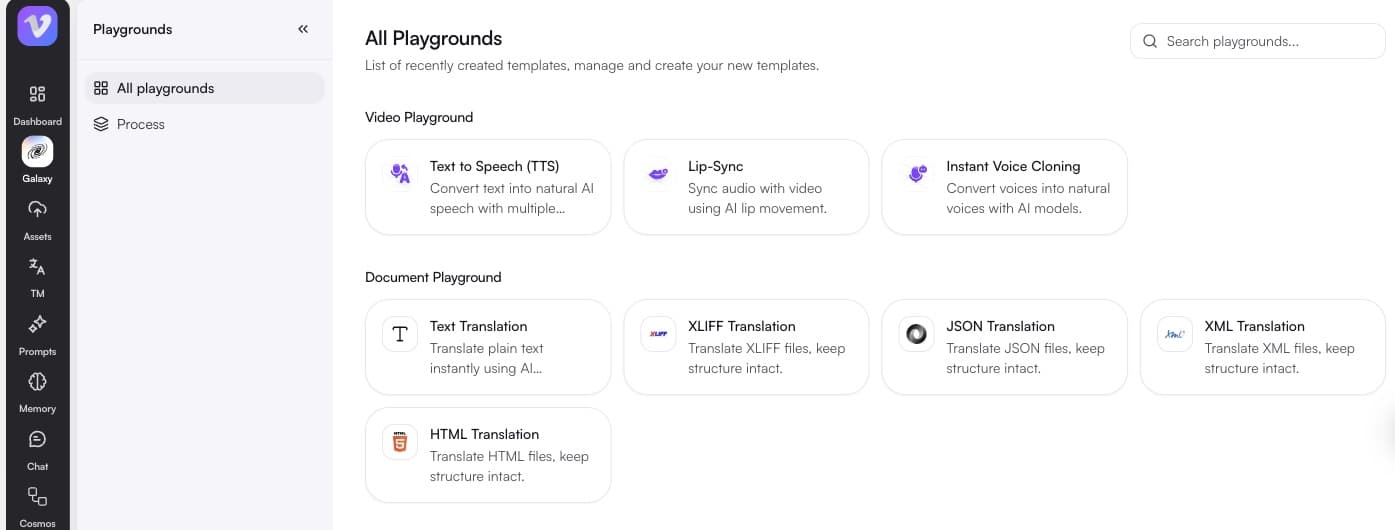
Each tool is a single step. When you need the whole pipeline — transcribe, translate, dub, check, publish — the platform pages cover how those steps chain together, and agentic workflows covers how to automate them.
Working with whole assets rather than single files? Start from video dubbing, document translation, or website translation.
FAQ
Questions people ask
How many voices and languages are available?
Over 12,000 voices across 178 language and regional variants. That includes low-resource and Indic languages served by Vitra's own voice models where no commercial coverage exists.
How much audio do I need to clone a voice?
A short, clean sample is enough for an instant clone. Better source audio produces a better replica, and Vitra can also train a fully custom voice model from a larger dataset for demanding cases.
What do I need to run lip-sync?
A video with a visible speaker and an audio track. If you do not have the audio yet, generate it in the same session with text to speech or a cloned voice.
How is this different from standard lip-sync?
Standard lip-sync aligns one video to one audio track. Personalization generates a different audio track and a different sync for every recipient, from a single base recording.
Does transcription identify different speakers?
Yes. Speaker diarization detects each voice and labels its segments, which is what makes multi-speaker recordings usable without manual cleanup.
Which subtitle formats can I export?
SRT and VTT as sidecar files, or captions burned directly into the video in any of the built-in animated styles.