Brand kits, not just prompts
Upload a brand kit — or let Universe extract one from your existing assets — and every generation inherits your fonts, colours, logo rules, and tone.
Generate campaign-ready creative from a prompt or a brief, conditioned on your own brand kit — fonts, palette, logo, and tone — with quality and compliance checks running on every image before it reaches you.
Free to start · 120 languages · No credit card required
3 ways
to build a brand kit automatically
120
languages, straight from the creative
1 click
from image to every ad size
The brand kit conditions generation rather than being checked afterwards — which is the difference between creative you can ship and creative you have to fix.
Step 1 of 5
Build the kit from a guidelines document, a website URL, or twenty of your existing images — it derives the persona and tone from what you already ship.
3
ways to build the kit
Capabilities
Upload a brand kit — or let Universe extract one from your existing assets — and every generation inherits your fonts, colours, logo rules, and tone.
Hand over a campaign brief instead of a prompt. Agents interpret it, propose directions, and generate a set you can choose from.
Produce a spread of alternates in one pass, then keep the winners in a collection your team can reuse.
Mask, annotate, and edit individual elements in place — change a headline or swap a product without regenerating the whole frame.
Every image runs through brand and compliance QC before it lands, with a verdict of approved, review, or blocked and per-region cultural scoring.
Approved creative goes into shared collections and asset management, so the next campaign starts from what already worked.
In the product
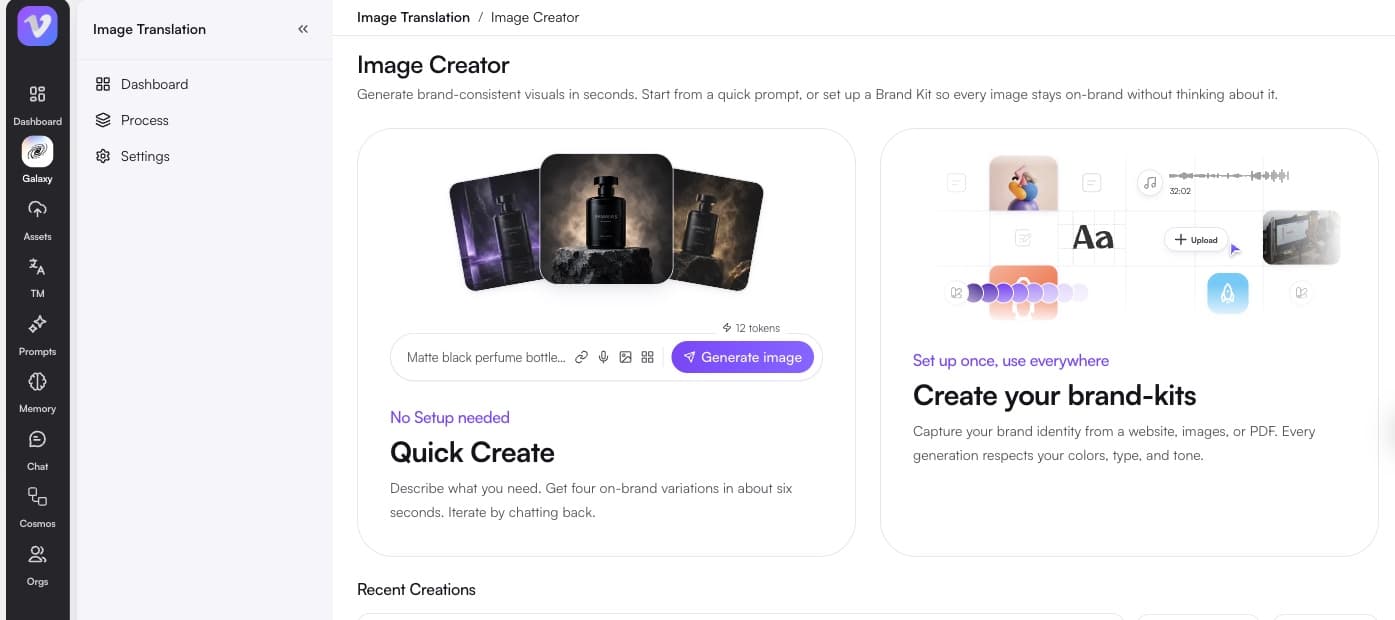
What comes out
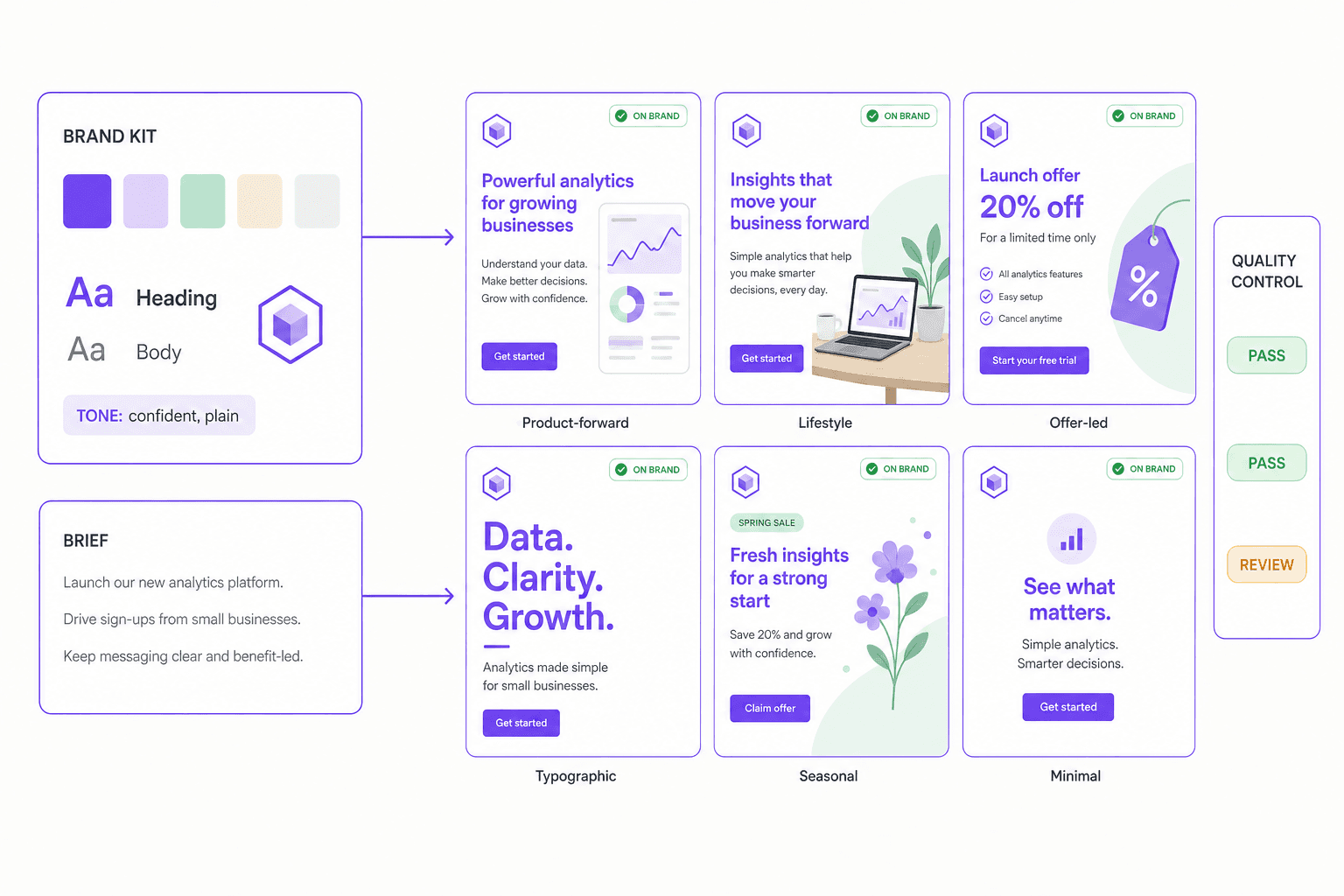
Why it matters
Every channel wants more variants than a design team can hand-build, and the shortfall shows up as fatigue in your media results.
Fatigue is a spend problem
Paid performance decays as soon as a creative gets over-served. The fix is more variants, faster — which is a production constraint long before it is a creative one.
Designers get their week back
The work that burns a design team is the tenth resize and the fifth copy swap, not the concept. Automating the mechanical half is what makes room for the part only a person can do.
Every market wants its own picture
A creative built for one region rarely converts in another. Regional variants are the difference between a campaign that travels and one that gets politely ignored.
Test the idea before you fund it
When variants are cheap, the winning concept is discovered by evidence instead of argued in a review meeting.
Creative volume is not the enemy of craft. Doing the mechanical half by hand is.
A generic image model produces something beautiful and off-brand. On-brand by default is the whole point of this one.
Brand kits, not prompt roulette
Colours, logos, fonts and tone are held in a brand kit and applied every time. It can be built automatically from your brand guidelines, your website URL, or twenty of your past creatives.
Brief it in conversation, or out loud
Work with an AI creative director in chat or voice mode, drop in reference URLs, and get copy options suggested when you are not sure what the creative should say.
Edit elements, not whole images
Change one object, one line of copy or one region with masks and annotations. Every other pixel is preserved exactly — which is what makes an approved creative safe to amend.
Checked before you ever see it
Quality control runs on generated images for brand consistency, cultural fit and safety, so the review queue holds exceptions rather than everything.
One step from every other format
A generated image is immediately translatable into 120 languages, resizable into every placement, and personalizable per market or per partner.
3 ways
to build a brand kit automatically
120
languages, straight from the creative
1 click
from image to every ad size
How it works
Keep the brief, language resources, and review decisions connected. Use the finished result in Universe or export it for the next step.
Upload fonts, colours, and logos, or point Universe at existing creative and let it extract the kit for review.
Describe the creative you need, or paste the campaign brief and let agents break it into directions.
Review the set, edit elements in place, and regenerate only the parts that need changing.
QC runs automatically, then resize into every placement you need and push to your channels.
Who it is for
Keep a testing pipeline full without waiting on design capacity for every variant.
Generate lifestyle and category imagery for catalogues that would never justify a shoot.
Produce market-specific creative that respects local rules and cultural context.
Fill the calendar with on-brand posts without redrawing the same template every week.
FAQ
Generation is conditioned on your brand kit rather than filtered after the fact. Fonts, palette, logo usage, and tone are applied at generation time, and a brand QC agent scores every output before it reaches you.
Yes. Point it at existing creative and it extracts fonts, colours, and logo usage into a draft brand kit, which you review and confirm before it is applied.
Yes. Masking, annotation, and element-level editing let you change a headline, object, or region in place while the rest of the frame stays exactly as approved.
Universe routes to whichever frontier model performs best for the task and swaps them as the field moves. The brand conditioning, QC, and orchestration around the model are Vitra's own, so output quality does not depend on any single vendor.
Everything in Vitra Universe shares one translation memory, one brand kit, and one quality bar — so the work you do here makes everything you do next faster.