
Vitra Universe DITA Maps Translation
Translate DITA maps and XML documentation into 75+ languages while preserving structure, tags, and hierarchy.
Vitra helps teams translate DITA documentation faster and more accurately without managing XML files manually.
Whether you are translating DITA documentation, technical manuals, product documentation, API documentation, knowledge base content, training guides, or enterprise documentation systems, Vitra helps teams scale multilingual technical documentation and structured content localization efficiently.
What This Integration Does
- ✓Vitra uses AI agents in a DITA map translation workflow designed specifically for structured documentation localization and XML-based content systems.
- ✓Instead of extracting multiple XML topic files, sending them for translation, and rebuilding the documentation structure manually, teams can translate entire DITA maps in a single workflow.
- ✓Vitra automatically detects and translates all linked XML topic files inside the DITA map, while preserving:
- ✓DITA Map hierarchy
- ✓XML tags and attributes
- ✓Topic relationships and reference
- ✓Structured documentation architecture
- ✓Cross file linking and navigation
- ✓This enables faster technical documentation localization, multilingual documentation publishing, and global product documentation deployment.
Workflow
How it works
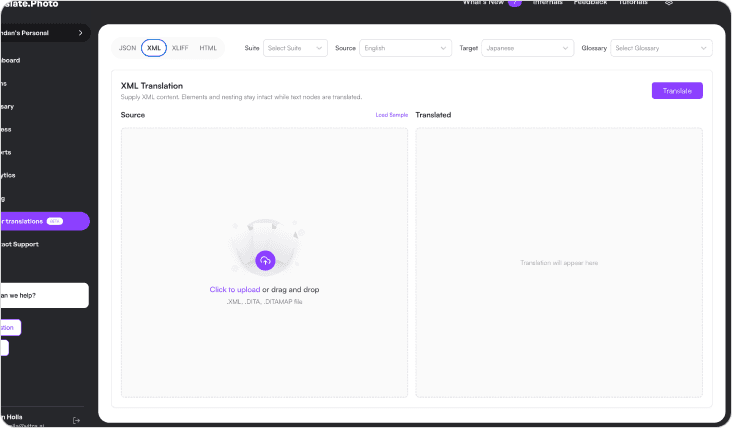
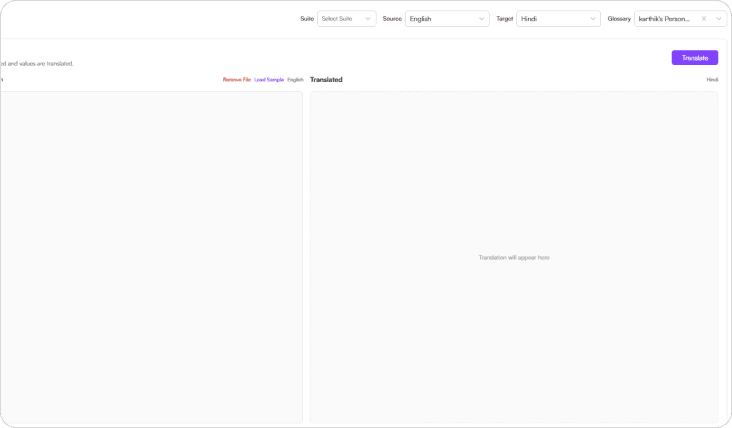
Select the file
Start by selecting the DITA map file or DITA ZIP package containing your documentation.
Vitra automatically scans the DITA map and detects all linked XML topic files ready for translation.
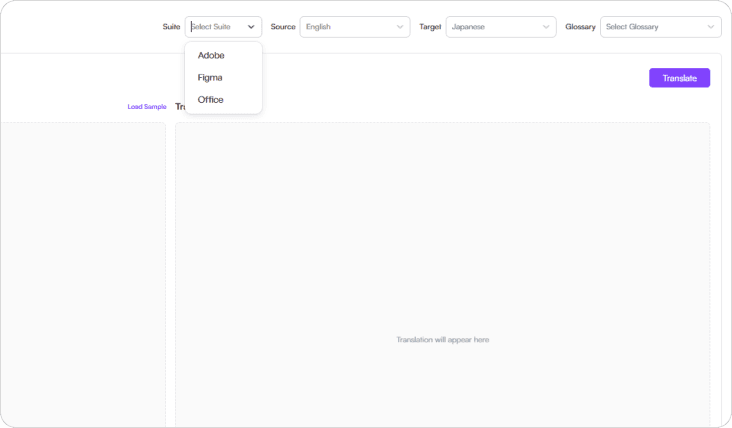
Select the source language
Choose the source language of your documentation.
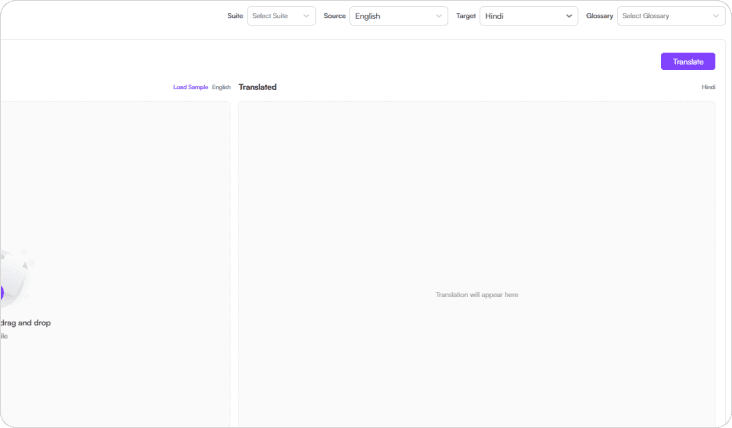
Select the target language
Choose one or more target languages.
Vitra supports 75+ global languages, allowing you to translate entire DITA documentation systems into multiple languages simultaneously.
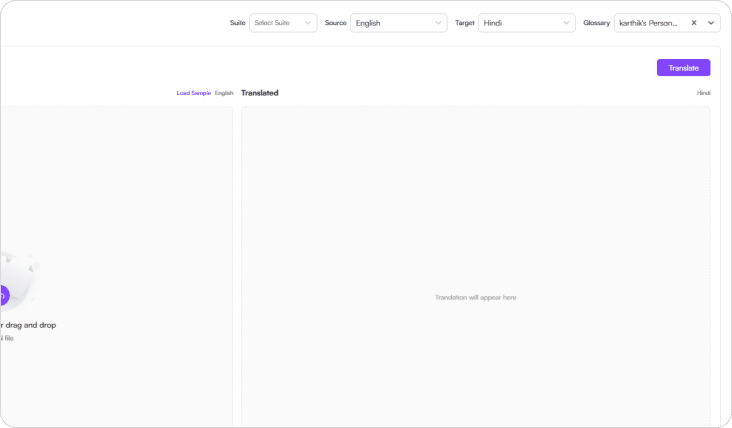
Select Glossary
Choose your organization's translation glossary and terminology database
This ensures consistent technical terminology, product naming conventions, brand language, and approved documentation terms across all translated XML topics.
Translate
- Upload the DITA map package and click Translate.
- Vitra Universe automatically translates all linked XML topic files while preserving:
- DITA Map Structure
- XML tags and formatting
- Topic hierarchy and reference
- Documentation integrity
- Cross-linked content relationships
Your multilingual technical documentation is ready for review and validation.
Use Cases
Technical Documentation Localization
Translate DITA-based product manuals, installation guides, and structured technical documentation into multiple languages.
Software Documentation
Localize developer documentation, API documentation, and enterprise product documentation.
Knowledge Base Localization
Translate customer support documentation, help center articles, and technical support content for global users.
Product Documentation for Global Markets
Deliver multilingual product documentation and technical guides for international customers.
Enterprise Documentation
Translate large-scale structured documentation repositories used across global organizations.
Why Teams Choose Vitra
- ✓Translate DITA maps and XML documentation with AI agents, format checks, and human review
- ✓Preserve DITA structure, XML tags, and topic hierarchy automatically
- ✓Maintain technical terminology with glossary-driven translation
- ✓Eliminate manual extraction and reassembly of XML topic files
- ✓Scale multilingual technical documentation and enterprise documentation localization
After Translation
- →Once translation is completed, Vitra provides multiple review modes for validating your documentation.
- →Table View:
- →View translations in a structured table format, making it easy to review, edit, and validate translated segments.
- →XML View:
- →Inspect the raw XML structure to ensure tags, attributes, and formatting remain intact.
- →DITA Preview:
- →Preview the translated documentation exactly as it will appear when published in your documentation portal or help center.
- →This allows documentation teams to verify layout, readability, and structure before deployment.
Next step
Start Translating DITA Documentation Faster
Translate DITA maps and XML topics into multiple languages while preserving XML integrity and accuracy.
Launch multilingual documentation, software, and product content faster without rebuilding XML files manually.
Where to go next
DITA Maps Translation is one way into Vitra.ai. Document translation is the capability doing the work behind it.
Browse every connector on the integrations directory.