←All Tools
01Figma02Adobe Photoshop03Adobe Illustrator04Adobe Indesign05Microsoft Word06Google Sheets07Canva08Youtube09Instagram10WordPress11Shopify12React JS13Next JS14Vue JS15Angular JS16Nuxt JS17Svelte18Drupal19Django20Flask21Salesforce22Ghost CMS23Hubspot CMS24Custom Integration25XML Translation26Dita Maps27XLIFF Translation28Text Translation29Json Translation30HTML Translation31PPT to Videos32GIF Translation33Blog to Video34Markdown Translation35MIF Translation36Adoc Translation37ASC Translation38ASCII Doc Translation39DocBook Translation40PPT-PPTX Translation41POT Translation42POTX Translation43PPTM Translation44POTM Translation45Dita Translation46PDF Translation47PHP Translation48TTX Translation49YAML/YML Translation50PO Translation51Properties Translation52XTG Translation53IOS Strings54Android Strings55RESX Translation
←All Tools
01Figma02Adobe Photoshop03Adobe Illustrator04Adobe Indesign05Microsoft Word06Google Sheets07Canva08Youtube09Instagram10WordPress11Shopify12React JS13Next JS14Vue JS15Angular JS16Nuxt JS17Svelte18Drupal19Django20Flask21Salesforce22Ghost CMS23Hubspot CMS24Custom Integration25XML Translation26Dita Maps27XLIFF Translation28Text Translation29Json Translation30HTML Translation31PPT to Videos32GIF Translation33Blog to Video34Markdown Translation35MIF Translation36Adoc Translation37ASC Translation38ASCII Doc Translation39DocBook Translation40PPT-PPTX Translation41POT Translation42POTX Translation43PPTM Translation44POTM Translation45Dita Translation46PDF Translation47PHP Translation48TTX Translation49YAML/YML Translation50PO Translation51Properties Translation52XTG Translation53IOS Strings54Android Strings55RESX Translation

Wordpress

Wordpress is a popular open-source CMS that powers websites, blogs, and e-commerce platforms with flexibility and ease of use.

Connect

Add Translate.website to WordPress in Minutes

Running your website on WordPress?

You don't need custom coding or complex plugin setups to make your site multilingual.

Using WordPress's flexible integration options, you can easily add the Translate.website script in just a few steps.

Let's walk through it.

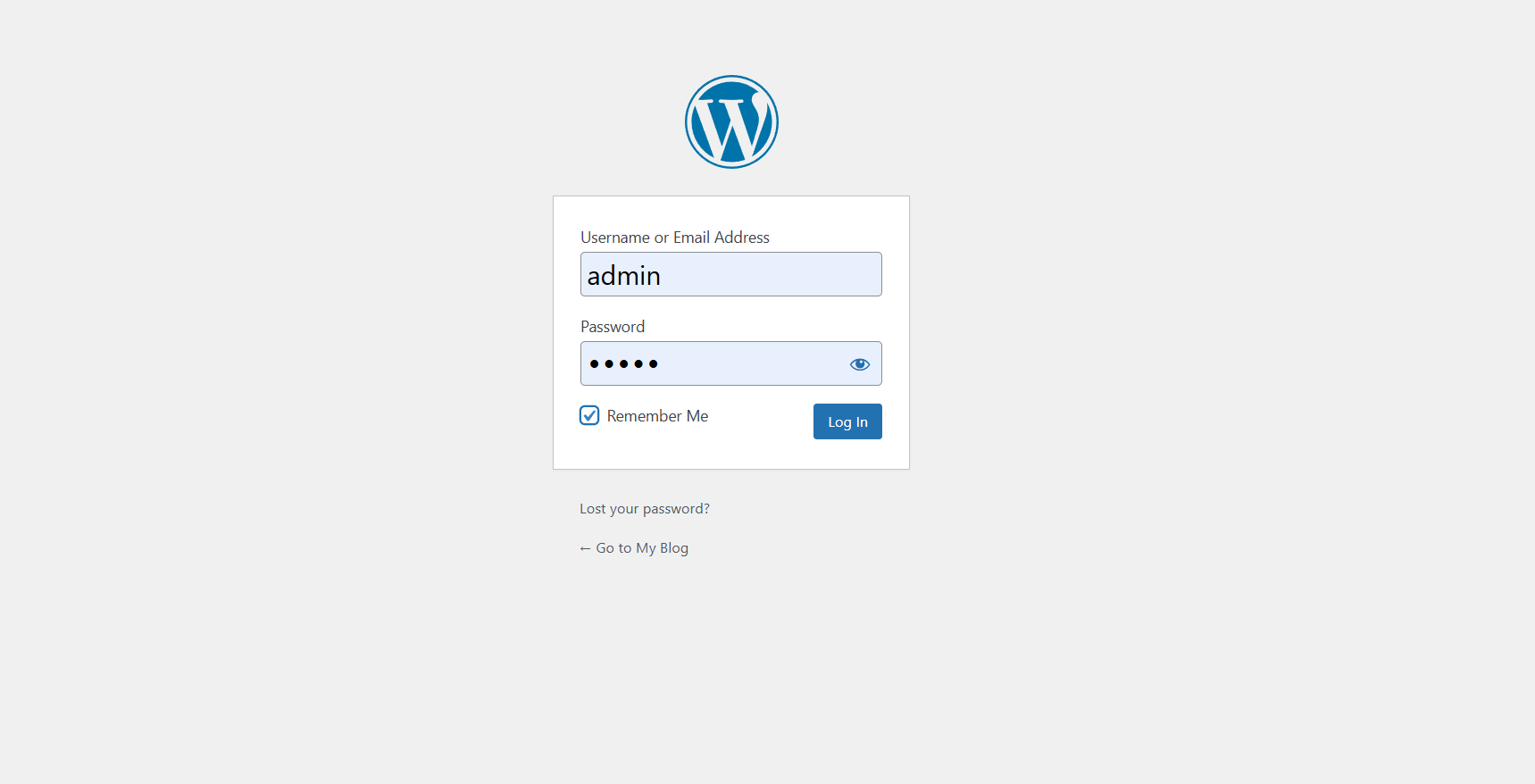
Step 1: Login to Your WordPress Admin Dashboard

  • Open your browser.
  • Visit yourwebsite.com/wp-admin.
  • Enter your admin username and password.
  • Click Login.
  • Once inside, you'll see the WordPress dashboard.
Step 1: Login to Your WordPress Admin Dashboard

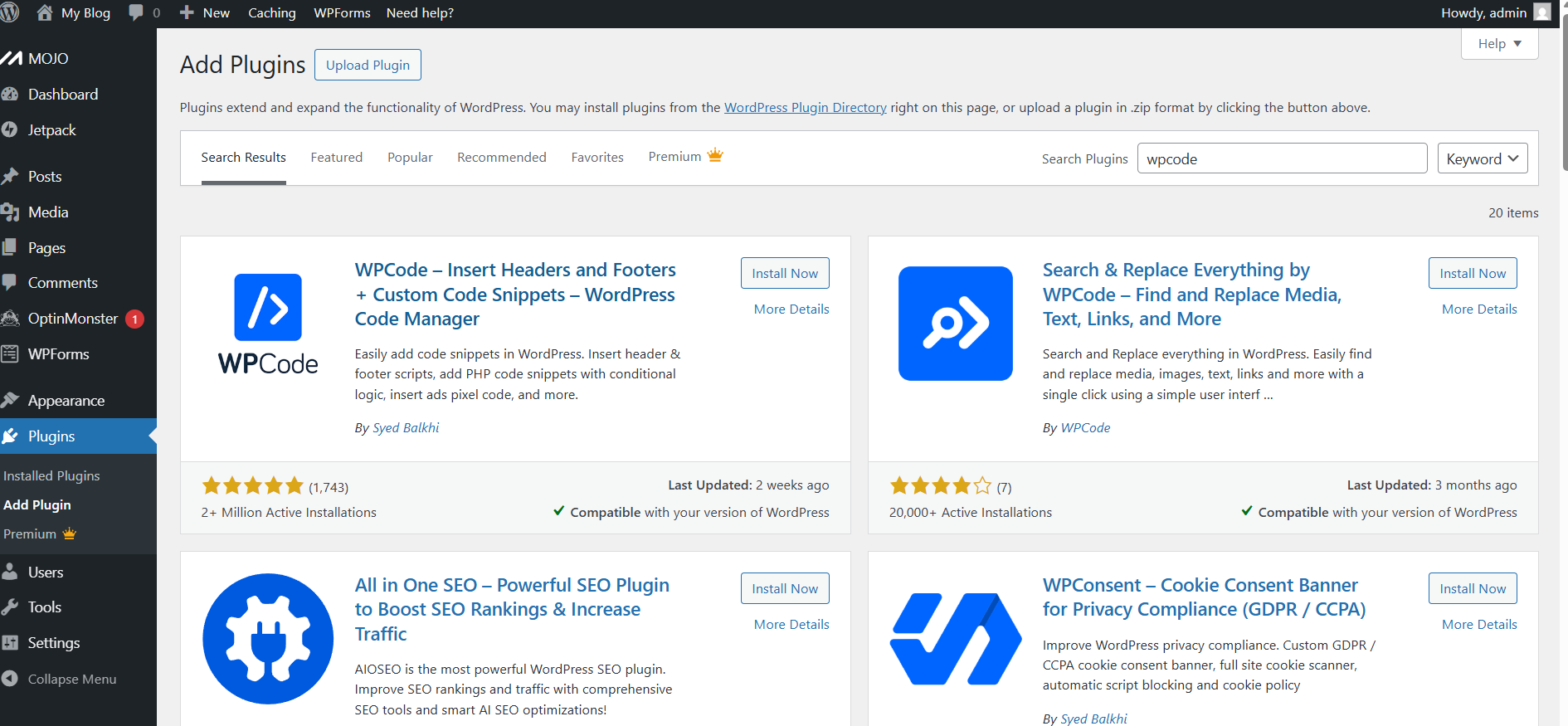
Step 2: Install & Activate WPCode Plugin

  • From the left sidebar, go to Plugins > Add New.
  • Search for WPCode.
  • Locate 'WPCode - Insert Headers and Footers + Custom Code Snippets'.
  • Click Install Now.
  • Click Activate.
  • Then WPCode will appear in the left menu.
Step 2: Install & Activate WPCode Plugin

Step 3: Add a New Code Snippet

  • Move to the left side of dashboard and find WPCode from menu.
  • Click Code Snippets and click on Add New.
  • Click Add Your Custom Code (New Snippet).
  • Click Use Snippet.
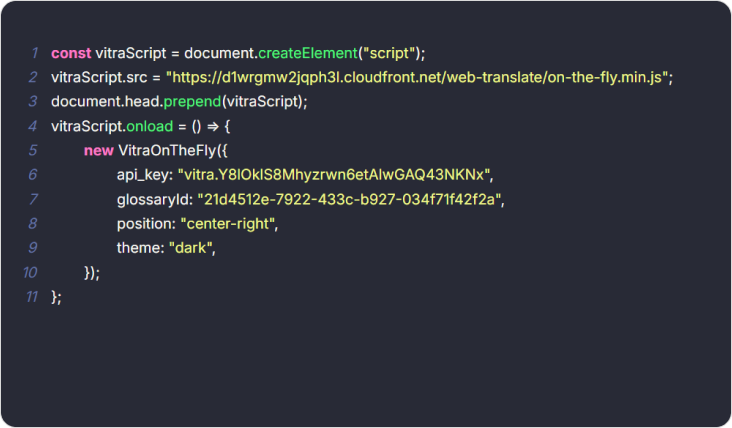
  • Paste your Translate.website script.
  • Select JavaScript Snippet.
  • Scroll down to Insertion and select Site Wide Header.
  • Toggle Active to Enabled.
  • Click Save Snippet.
  • Done ✅, Your website is now multilingual.
Step 3: Add a New Code Snippet

What Happens After Saving?

  • The script loads globally
  • All page content becomes translatable
  • Blog posts, products (WooCommerce), menus, footer content work automatically
  • No theme files were edited
  • No content duplication occurs
  • No SEO structure is broken

Recommended: Clear Cache

If you're using:

  • WP Rocket
  • W3 Total Cache
  • LiteSpeed Cache

Cloud flare.

Clear cache once after activation.

Safe & Reversible

If you need to disable it:

  • Go back to Code Snippets
  • Toggle the snippet to Inactive
  • No theme corruption.
  • No database changes.
  • No risk during theme updates.

Why This Method Is Recommended

Using WPCode instead of editing header.php ensures:

  • Theme updates won't remove the snippet
  • No child theme required
  • Safe rollback anytime
  • Clean, professional implementation

Footer

Power Your Global Content Strategy with AI Translation

Unlock seamless communication across departments - from Marketing to Ops - with AI-powered translations tailored to your business needs.

Create, Personalize, and Translate Content 100x Faster with GenAI.