Vitra AI .POTX File Translation
Translate PowerPoint Template files (.potx) into 75+ languages instantly while preserving slide layouts, master templates, fonts, placeholders, and design structure.
Vitra enables marketing teams, corporate teams, design teams, educators, and global enterprises to translate PowerPoint templates quickly without recreating layouts or manually rebuilding multilingual presentation templates.
Whether you are translating corporate presentation templates, marketing slide templates, training templates, product presentation templates, or branded company decks, Vitra helps teams scale multilingual presentation templates efficiently across global markets.
What This Integration Does
Vitra provides an AI-powered PowerPoint template translation workflow designed for presentation templates, branded slide decks, training templates, product presentation templates, and enterprise communication.
Instead of copying template text into translation tools and manually rebuilding slide layouts, teams can translate POTX files directly within the Vitra platform.
Vitra automatically translates the text inside each template while preserving slide layouts, master templates, fonts, placeholders, and design structure.
This enables faster template localization, multilingual presentation creation, and global brand-consistent communication.
How It Works
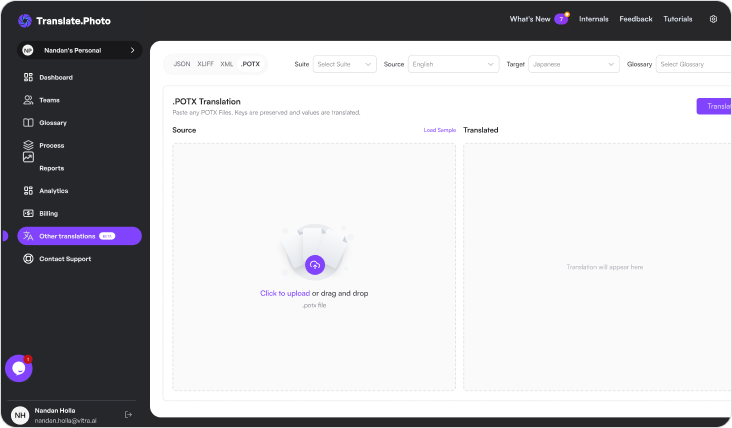
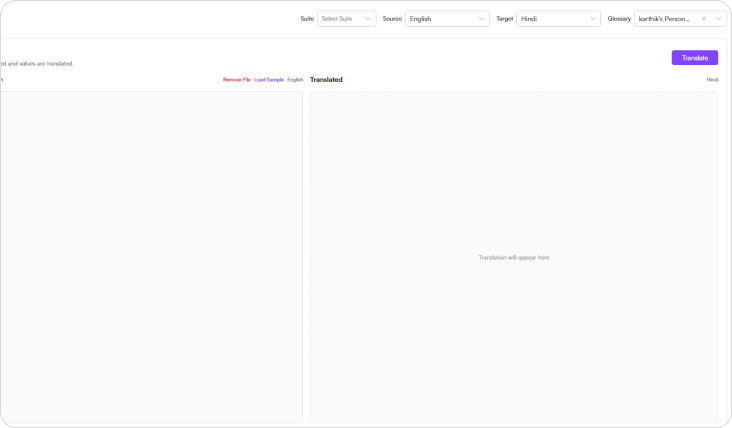
Step 1: Upload the file
- Start by uploading the PowerPoint Template (.potx) file you want to translate.
- Vitra scans the template and identifies translatable text while preserving slide layouts and design structure.
Step 2: Select the Suite
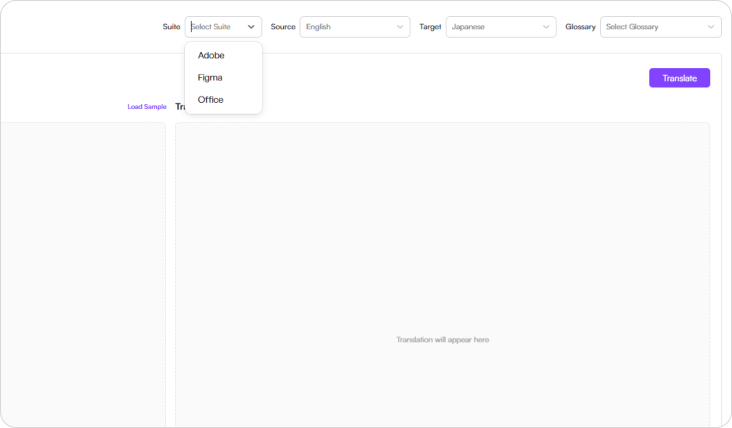
- Choose the suit that aligns with your workflow
- Available options include:
- Adobe
- Figma
- Office
- This helps align the translation workflow with design tools, corporate presentation systems, and enterprise content environments.
Step 3: Select language
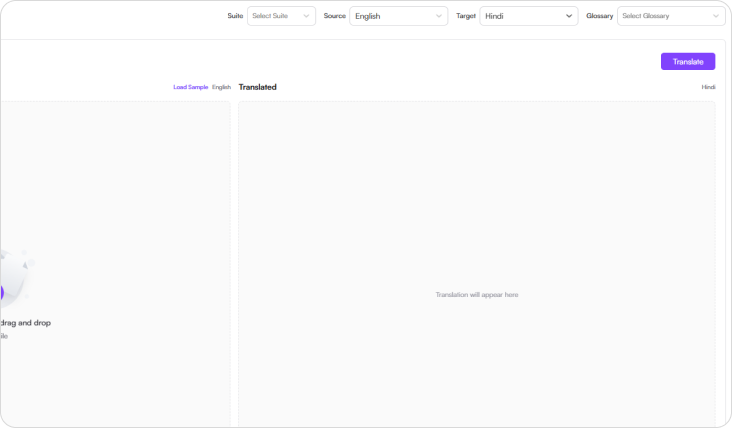
- Choose the source language and one or more target languages.
- Vitra supports 75+ global languages, enabling organizations to localize presentation templates for international teams and global audiences.
Step 4: Select Glossary
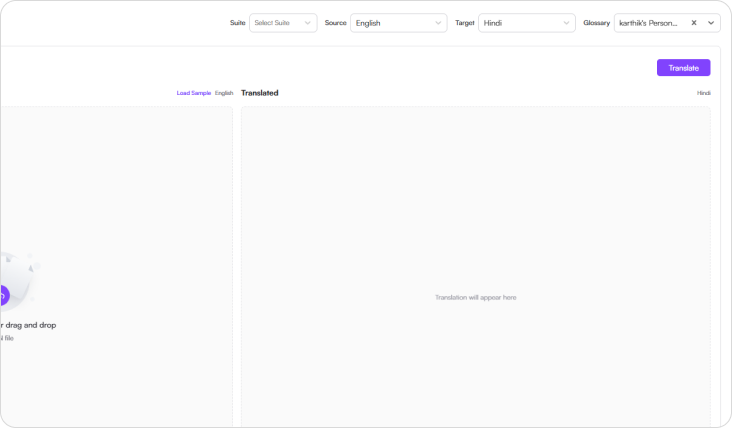
- Choose your organization’s translation glossary to ensure consistent terminology across templates.
- Glossary-driven translation ensures brand language, product terminology, and corporate messaging remain consistent across all presentation templates.
Step 5: Translate
- Click Translate, and Vitra AI automatically translates the template content while preserving:
- Master slide layouts
- Template placeholders and formatting
- Fonts and design elements
- Slide structure and positioning
- PowerPoint template compatibility
- Your translated PowerPoint template is now ready to use.
Industry Use Cases
Corporate Communications
Translate company presentation templates, internal communication decks, and leadership presentation frameworks for global teams.
Marketing & Branding
Localize marketing presentation templates, campaign pitch decks, and brand communication slides.
Sales & Business Development
Translate sales pitch templates, proposal presentations, and client presentation frameworks.
Education & Training
Localize training templates, learning presentation formats, and educational course slides.
Consulting & Professional Services
Translate consulting presentation templates, strategy decks, and business analysis presentations.
Finance & Investment
Localize financial presentation templates, investment pitch decks, and investor reporting slides.
Healthcare & Pharma
Translate medical presentation templates, research presentation slides, and healthcare training decks.
Government & Public Sector
Localize policy presentation templates, public communication slides, and institutional presentation frameworks.
Why Teams Choose Vitra
- Translate PowerPoint templates 100× faster with AI-powered automation
- Preserve master slide layouts, placeholders, and formatting automatically
- Maintain brand terminology with glossary-driven translation
- Eliminate manual recreation of multilingual presentation templates
- Scale global corporate communication and multilingual presentation frameworks
Start Translating .POTX Files Faster
Translate PowerPoint template files (.potx) into multiple languages instantly while preserving design structure, formatting, and brand consistency.
Create multilingual presentation templates for global teams, marketing campaigns, and training programs without rebuilding templates manually.