←All Tools
01Figma02Adobe Photoshop03Adobe Illustrator04Adobe Indesign05Microsoft Word06Google Sheets07Canva08Youtube09Instagram10WordPress11Shopify12React JS13Next JS14Vue JS15Angular JS16Nuxt JS17Svelte18Drupal19Django20Flask21Salesforce22Ghost CMS23Hubspot CMS24Custom Integration25XML Translation26Dita Maps27XLIFF Translation28Text Translation29Json Translation30HTML Translation31PPT to Videos32GIF Translation33Blog to Video34Markdown Translation35MIF Translation36Adoc Translation37ASC Translation38ASCII Doc Translation39DocBook Translation40PPT-PPTX Translation41POT Translation42POTX Translation43PPTM Translation44POTM Translation45Dita Translation46PDF Translation47PHP Translation48TTX Translation49YAML/YML Translation50PO Translation51Properties Translation52XTG Translation53IOS Strings54Android Strings55RESX Translation
←All Tools
01Figma02Adobe Photoshop03Adobe Illustrator04Adobe Indesign05Microsoft Word06Google Sheets07Canva08Youtube09Instagram10WordPress11Shopify12React JS13Next JS14Vue JS15Angular JS16Nuxt JS17Svelte18Drupal19Django20Flask21Salesforce22Ghost CMS23Hubspot CMS24Custom Integration25XML Translation26Dita Maps27XLIFF Translation28Text Translation29Json Translation30HTML Translation31PPT to Videos32GIF Translation33Blog to Video34Markdown Translation35MIF Translation36Adoc Translation37ASC Translation38ASCII Doc Translation39DocBook Translation40PPT-PPTX Translation41POT Translation42POTX Translation43PPTM Translation44POTM Translation45Dita Translation46PDF Translation47PHP Translation48TTX Translation49YAML/YML Translation50PO Translation51Properties Translation52XTG Translation53IOS Strings54Android Strings55RESX Translation

Angular JS

AngularJS is a JavaScript framework for building dynamic web applications. It enables two-way data binding and structured frontend development.

Connect

Using Translate.website in an AngularJS Project (Pre-Installed Environment)

AngularJS is a JavaScript framework for building dynamic web applications. It enables two-way data binding and structured frontend development.

If AngularJS is already pre-installed in your environment (like a hosting panel, enterprise CMS, or project setup wizard), you don't need to install Angular again. You only need to configure Translate.website inside the AngularJS project structure.
Using Translate.website in an AngularJS Project (Pre-Installed Environment)

Step-by-Step Configuration

Step 1: Select Project Technology → AngularJS

  • When creating a new project:
  • Choose AngularJS as the project technology.
  • Complete the project setup wizard.
  • Deploy / generate the project structure.

Step 2: Locate the Main Entry File

  • Your AngularJS app will typically create:
  • index.html
  • This file loads across all routes using ng-view.
  • That's where we integrate Translate.website.

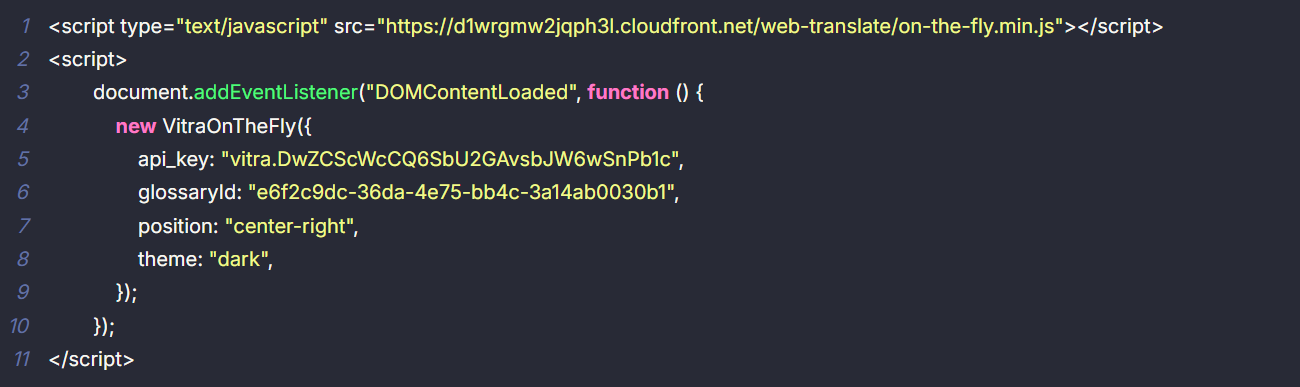
Step 3: Paste the Vitra Snippet in <head>

  • Open index.html
Step 3: Paste the Vitra Snippet in <head>

Step 3: No Additional Angular Configuration Needed

  • You do NOT need to:
  • Modify app.js
  • Add Angular modules
  • Change routing config
  • Inject into controllers
  • Touch $scope

Important for AngularJS (Single Page Apps)

Since AngularJS uses client-side routing:

If your site loads content dynamically, make sure:

  • The snippet is placed in index.html (global level)
  • Not inside a partial view
  • Not inside a specific template

This ensures it loads across all routes.

What Happens After Setup?

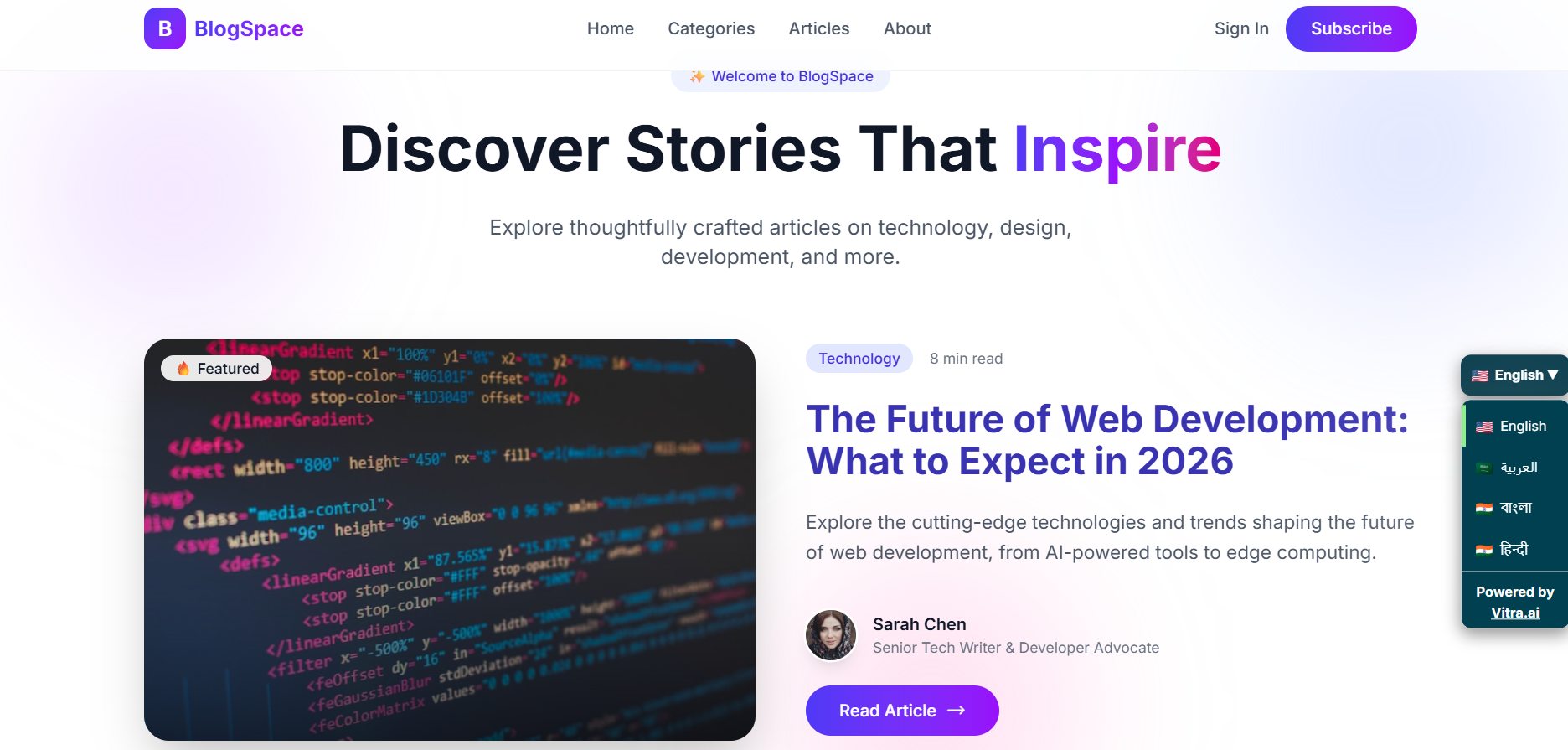
Once active, Translate.website:

  • Translates Angular-rendered content
  • Works across ng-view routes
  • Detects dynamic DOM updates
  • Preserves layout and CSS
  • Improves international engagement
Footer

Power Your Global Content Strategy with AI Translation

Unlock seamless communication across departments - from Marketing to Ops - with AI-powered translations tailored to your business needs.

Create, Personalize, and Translate Content 100x Faster with GenAI.