Vitra AI XTG File Translation
Translate XTG (.xtg) files into 75+ languages instantly while preserving XML structure, translation segments, tags, and publishing compatibility.
Translate XTG (.xtg) files into 75+ languages while preserving XML structure, translation segments, tags, and publishing compatibility.
Vitra helps teams translate XTG files faster and more accurately without manually rebuilding publishing files or breaking layout-linked content.
Whether you are translating Adobe InDesign publishing workflows, magazines, catalogs, marketing collateral, packaging content, retail materials, editorial layouts, or enterprise publishing systems, Vitra helps teams scale multilingual XTG localization efficiently.
What This Integration Does
Vitra provides an AI-powered XTG translation workflow designed for InDesign publishing, editorial localization, multilingual production, and structured publishing delivery.
Instead of editing XTG files manually and rebuilding translated layouts across publishing workflows, teams can upload XTG (.xtg) files directly into the Vitra platform.
Vitra automatically translates the content while preserving XML structure, translation segments, tag integrity, and publishing compatibility.
This enables faster XTG localization, multilingual publishing delivery, and scalable layout-aware translation workflows.
How It Works
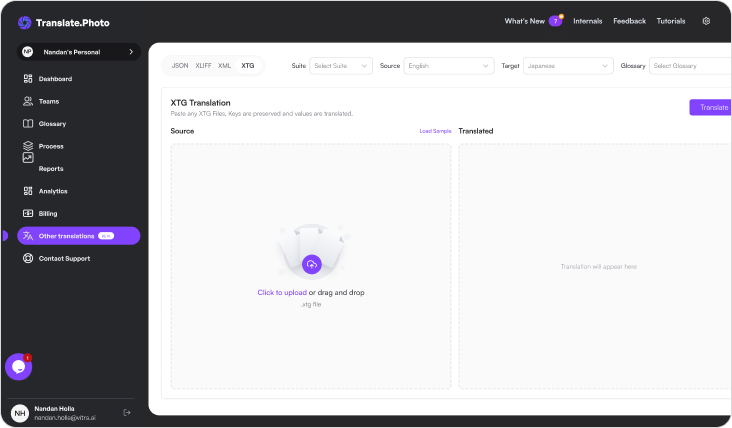
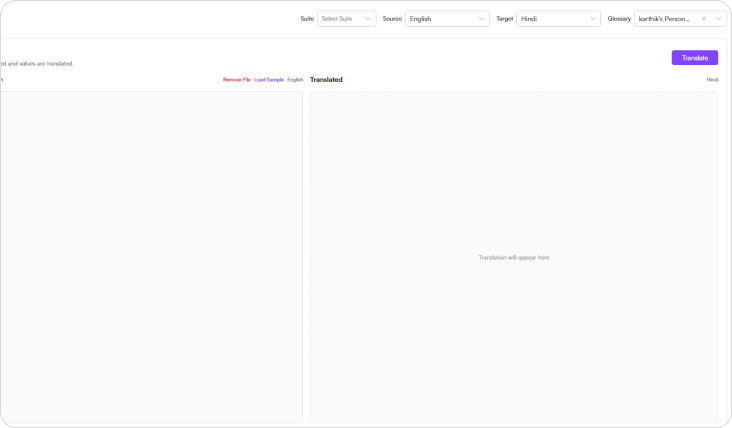
Step 1: Upload the file
- Start by uploading the XTG (.xtg) file you want to translate.
- Vitra scans the file and detects translatable content while preserving XML structure, translation segments, tags, and publishing compatibility.
Step 2: Select the Suite
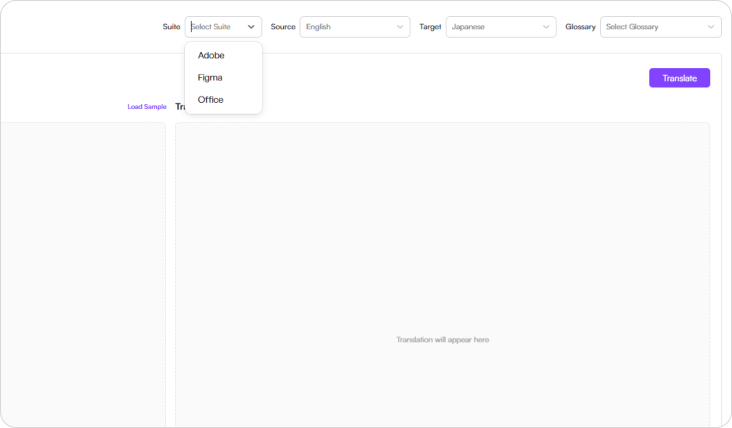
- Choose the suit that aligns with your workflow
- Available options include:
- Adobe
- Figma
- Office
- This helps align the translation workflow with design environments, content systems, and enterprise localization pipelines.
Step 3: Select language
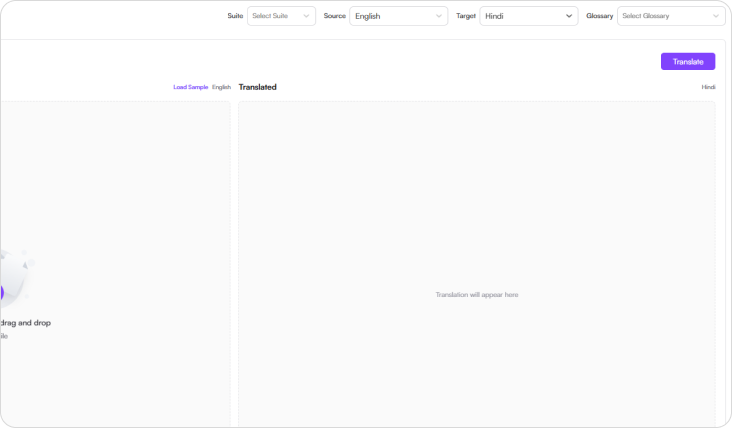
- Choose the source language and one or more target languages.
- Vitra supports 75+ global languages, enabling organizations to localize documents for international audiences and global markets.
Step 4: Select Glossary
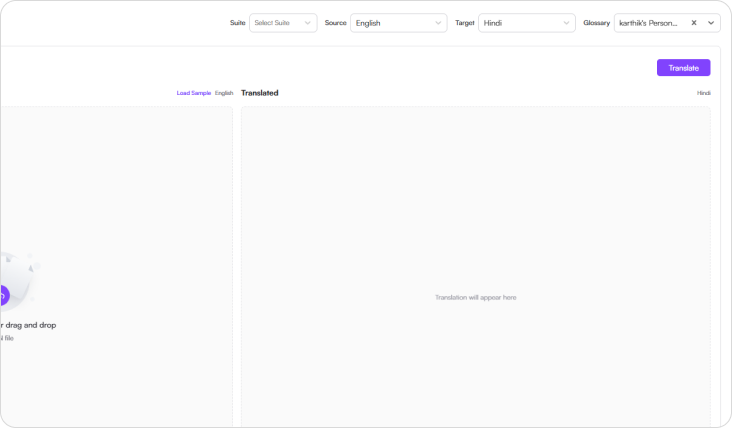
- Choose your organization’s translation glossary to maintain consistent terminology across applications.
- Glossary-driven translation ensures brand messaging, editorial terminology, and product language remain consistent across translated content.
Step 5: Translate
- Click Translate, and Vitra AI automatically translates the XTG file while preserving:
- XML structure and translation segments
- InDesign publishing compatibility
- Layout references and formatting
- Tag structure and metadata
- Your translated XTG file is ready for publishing.
Industry Use Cases
Publishing & Editorial Teams
Translate XTG files used in multilingual publishing workflows while preserving structure, tags, and editorial compatibility.
Adobe InDesign Workflows
Localize InDesign-linked XTG content used for layout-driven publishing, print production, and multilingual document delivery.
Marketing & Brand Collateral
Translate brochures, flyers, retail assets, and campaign layouts connected to structured publishing files.
Catalogs & Product Documentation
Translate layout-bound catalogs, guides, and structured product materials without disrupting production workflows.
Retail & Packaging Content
Scale multilingual publishing for retail, packaging, and point-of-sale content built on InDesign publishing pipelines.
Enterprise Publishing Systems
Translate XTG-based publishing content across global teams while preserving compatibility with existing production tools.
Localization Operations
Accelerate XTG translation workflows while preserving XML structure, tag integrity, and publishing readiness.
Why Teams Choose Vitra
- Translate XTG files 100× faster with AI-powered automation
- Preserve XML structure, segments, tags, and publishing integrity automatically
- Maintain consistent terminology with glossary-driven translation
- Reduce manual effort in publishing localization workflows
- Scale multilingual editorial and layout-driven production efficiently
Start Translating XTG Files Faster
Translate XTG files into multiple languages instantly while preserving XML structure, tags, formatting, and publishing compatibility.
Launch multilingual publishing workflows faster without manually rebuilding every translated layout file.